
TRACKING & ANALYTICS

GA4 & GTM Ecommerce Tracking Implementation

A complete end-to-end implementation of Google Analytics 4 and Google Tag Manager tracking on a WooCommerce practice website to track the full customer journey from page view to purchase.

Project Objectives

My Role

I independently planned, configured, implemented, tested, and validated the complete tracking system. This included creating Google Tag Manager tags, triggers, variables, Data Layer implementation, GA4 configuration, event validation, and debugging to ensure accurate data collection across the WooCommerce purchase funnel.

Key Skills Demonstrated

Implementation & Screenshots

Google Tag Manager Implementation

GTM Tags For E-commerce
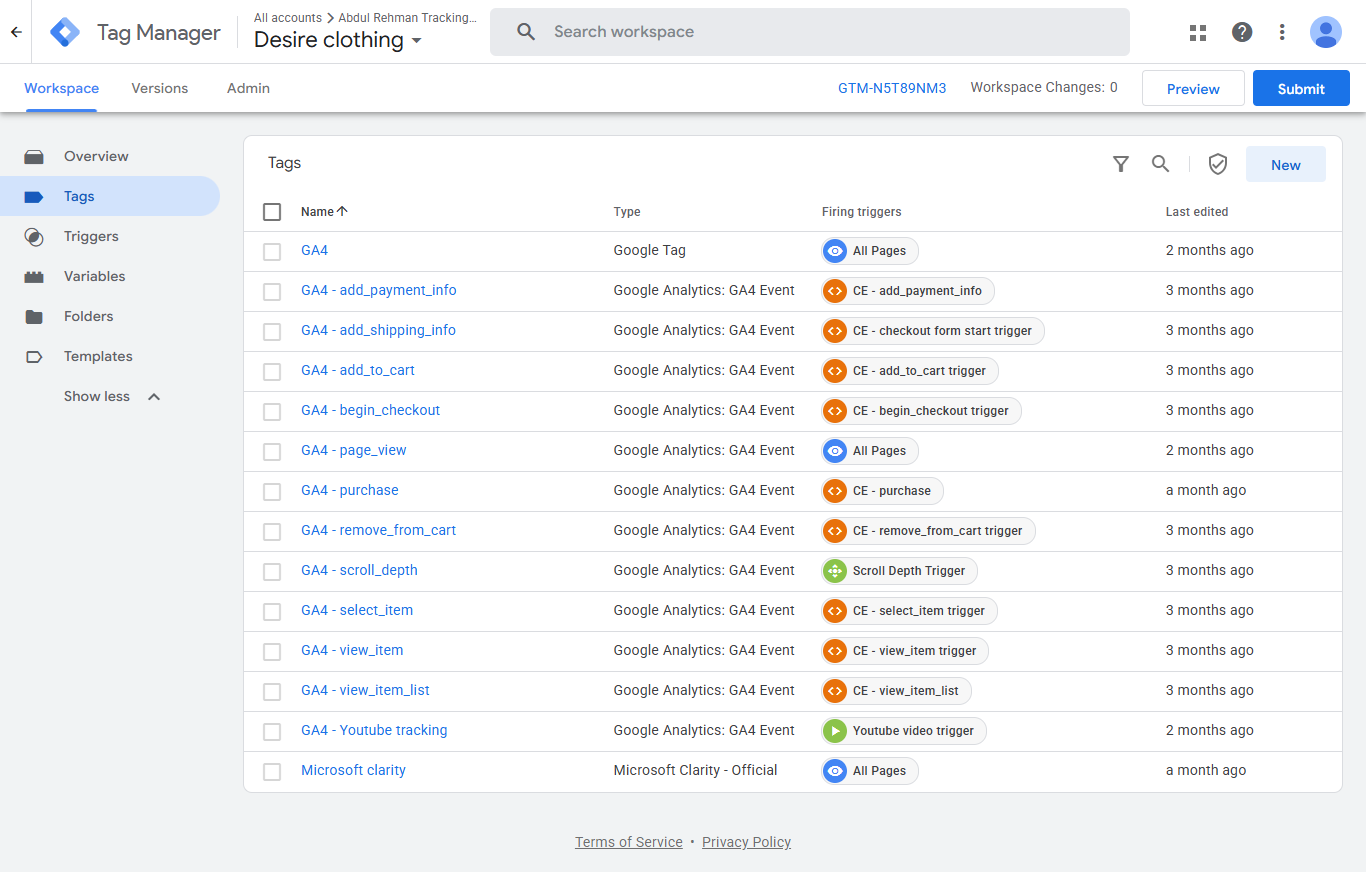
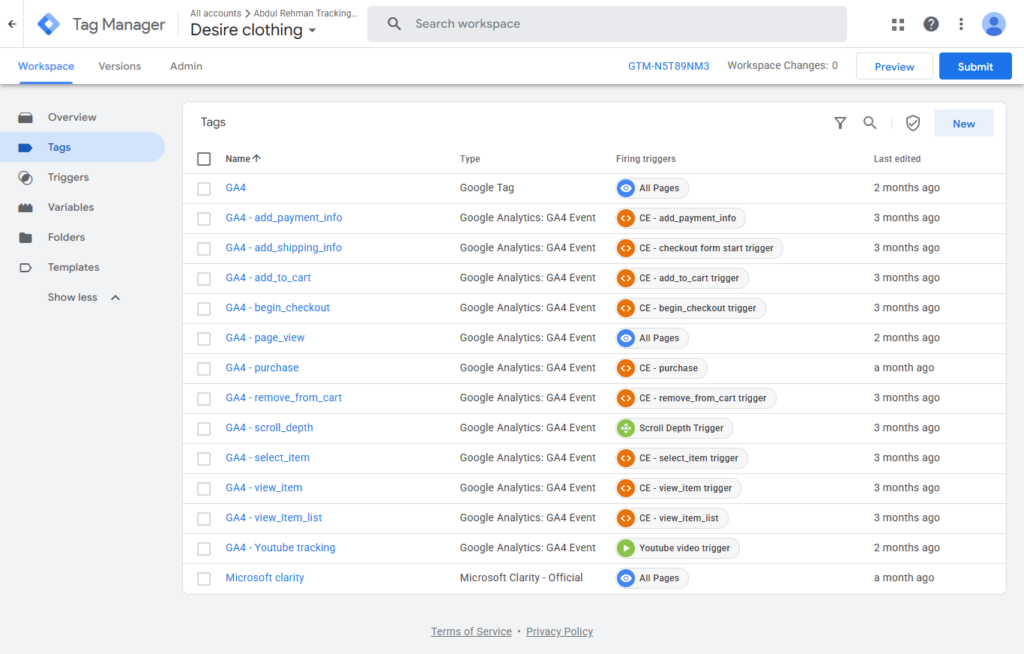
Configured Google Tag Manager to manage the complete e-commerce tracking implementation. Tags were created for every major stage of the customer journey, including Page View, View Item, Add to Cart, View Cart, Begin Checkout, and Purchase events. This centralized setup enables consistent event collection and simplifies future tracking updates without modifying website code.

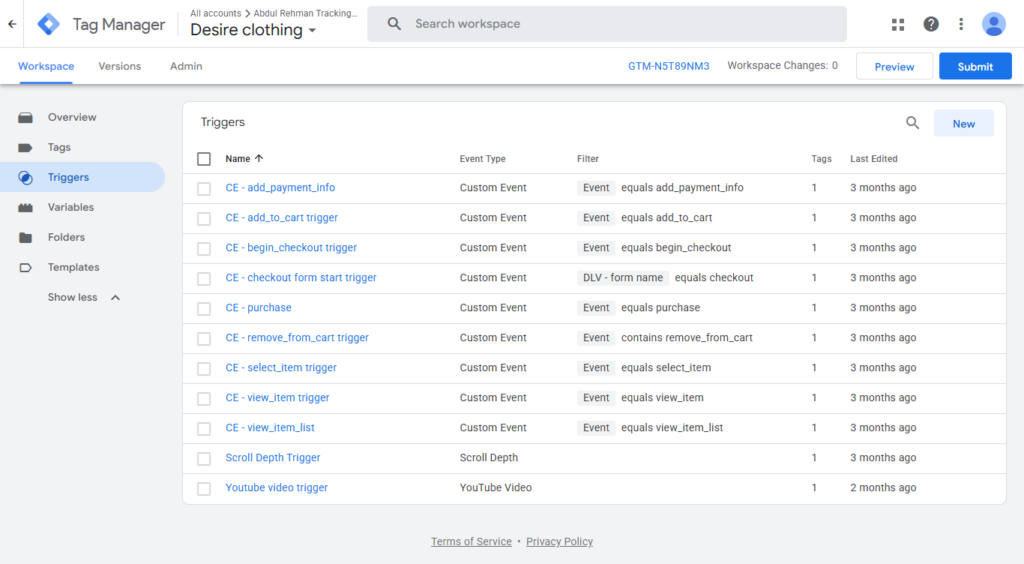
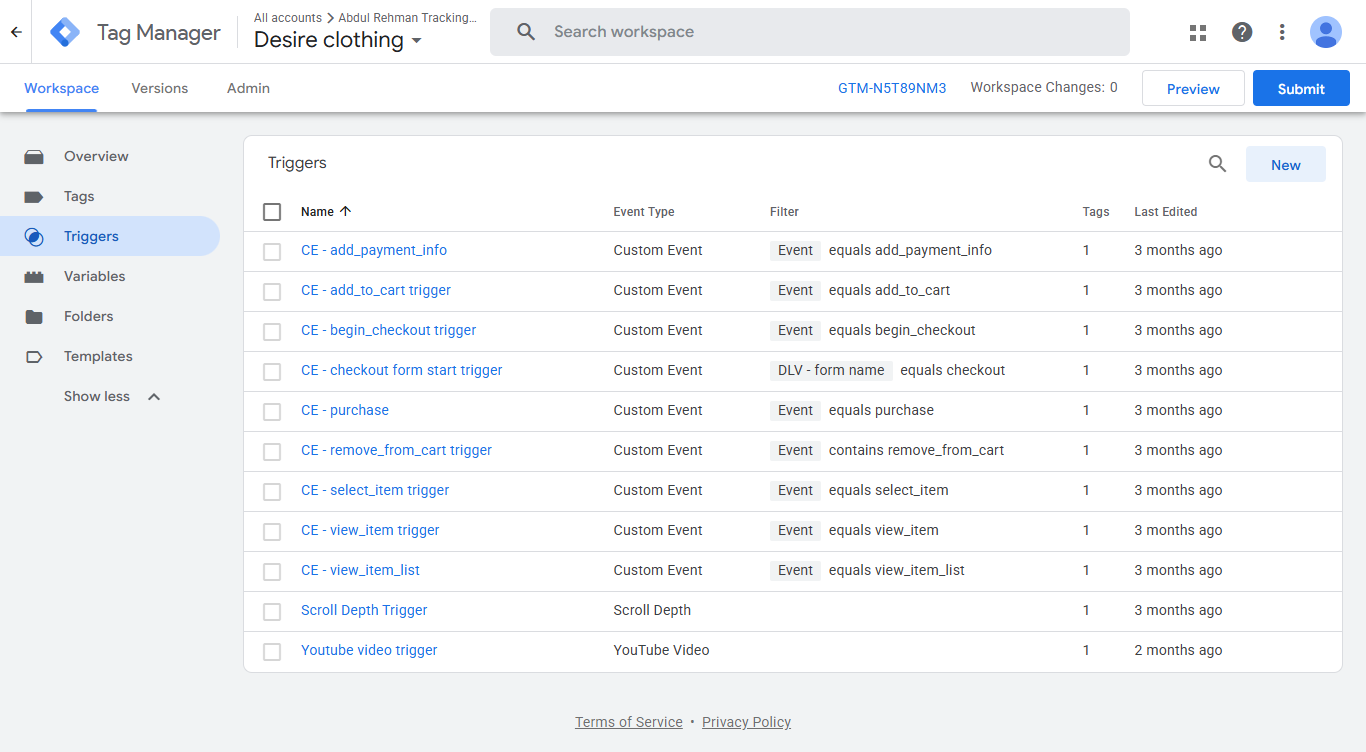
GTM Triggers

Created dedicated triggers to ensure each event fires only when the correct user interaction occurs. Trigger conditions were configured to accurately capture customer actions throughout the purchase funnel while minimizing duplicate or unnecessary event firing.

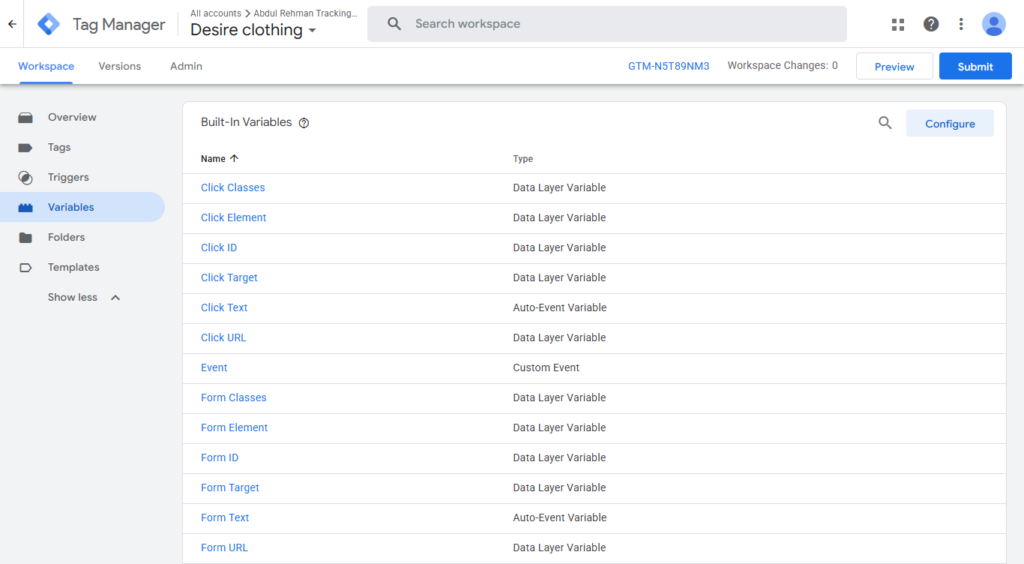
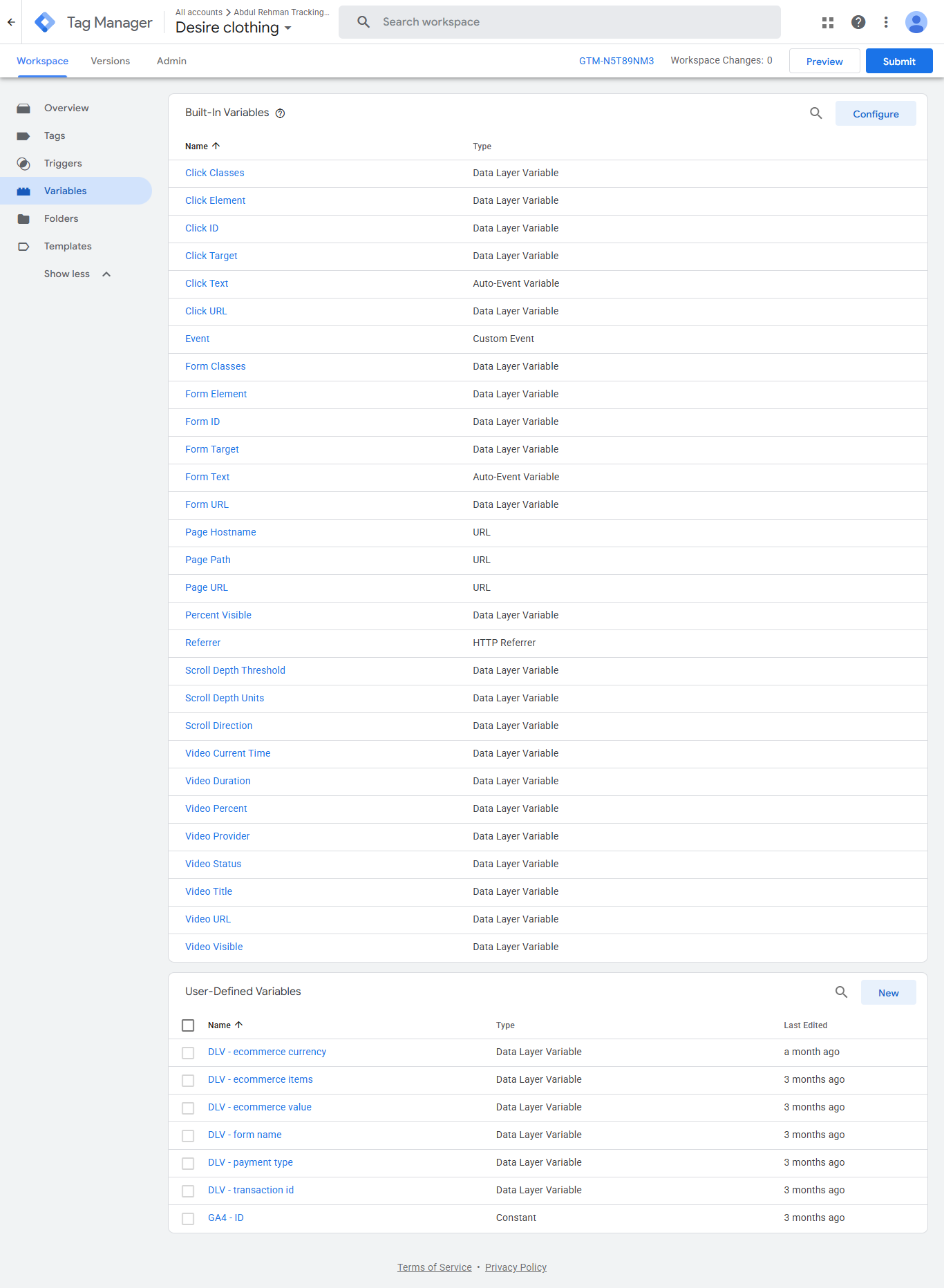
GTM Variables & Custom Variables

Configured both built-in and custom variables to dynamically capture important e-commerce information such as product details, transaction values, currency, page information, and Data Layer parameters. These variables provide the data required for accurate reporting in Google Analytics 4.

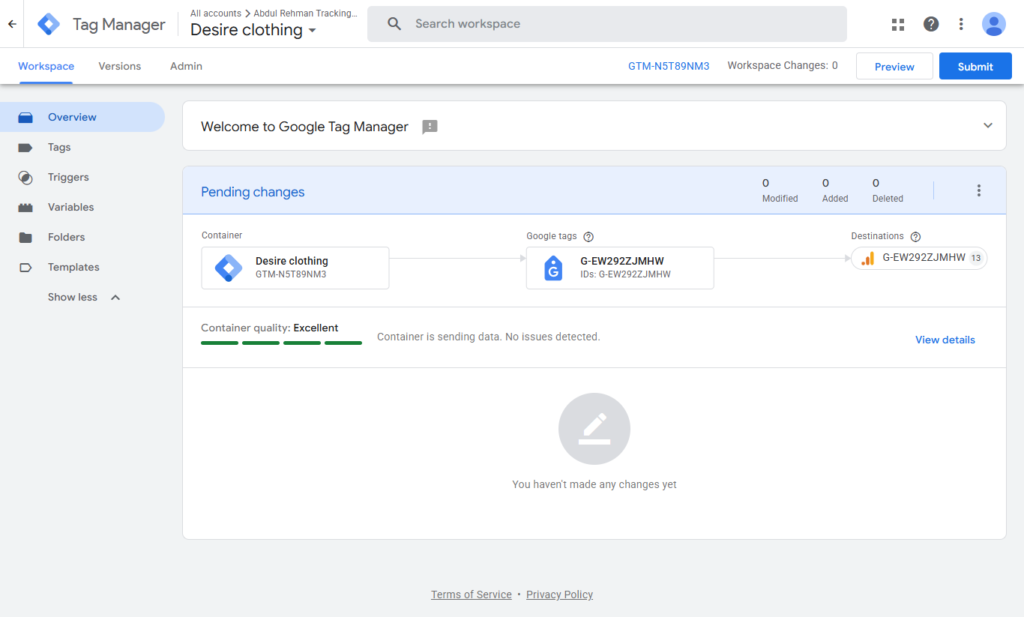
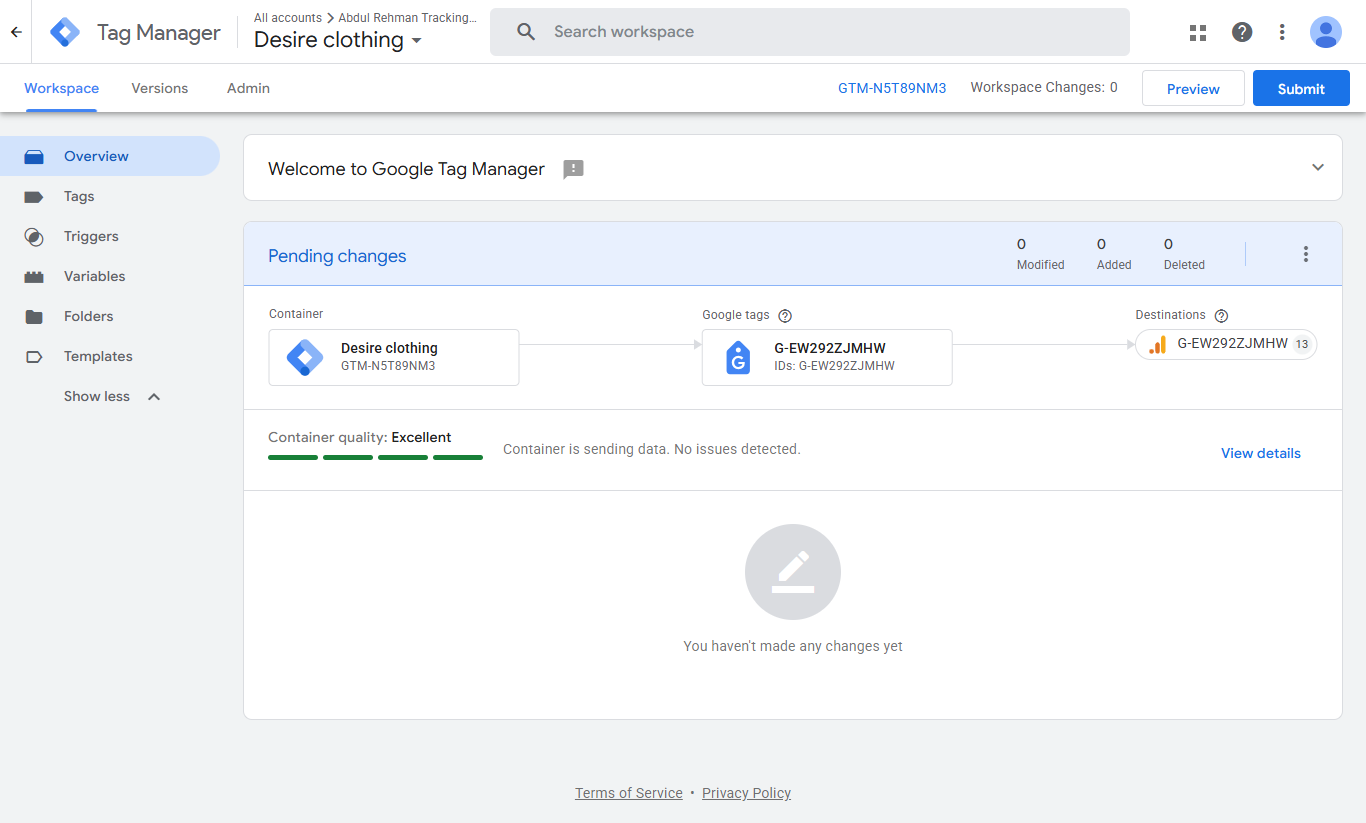
GTM Workspace

Organized the implementation within Google Tag Manager using a structured workspace containing all tags, triggers, variables, and version history. Maintaining a clean workspace supports easier debugging, collaboration, and future enhancements.

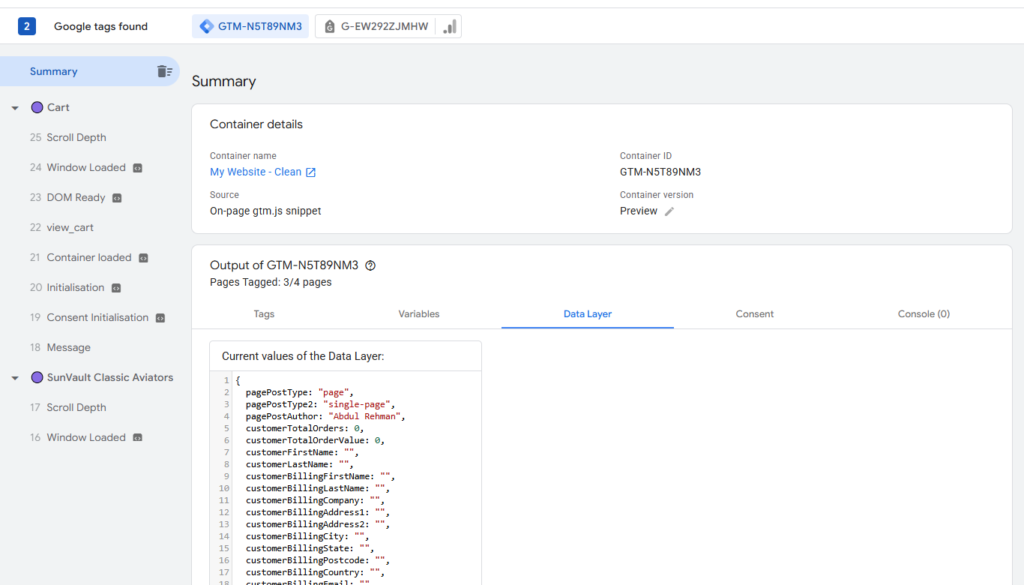
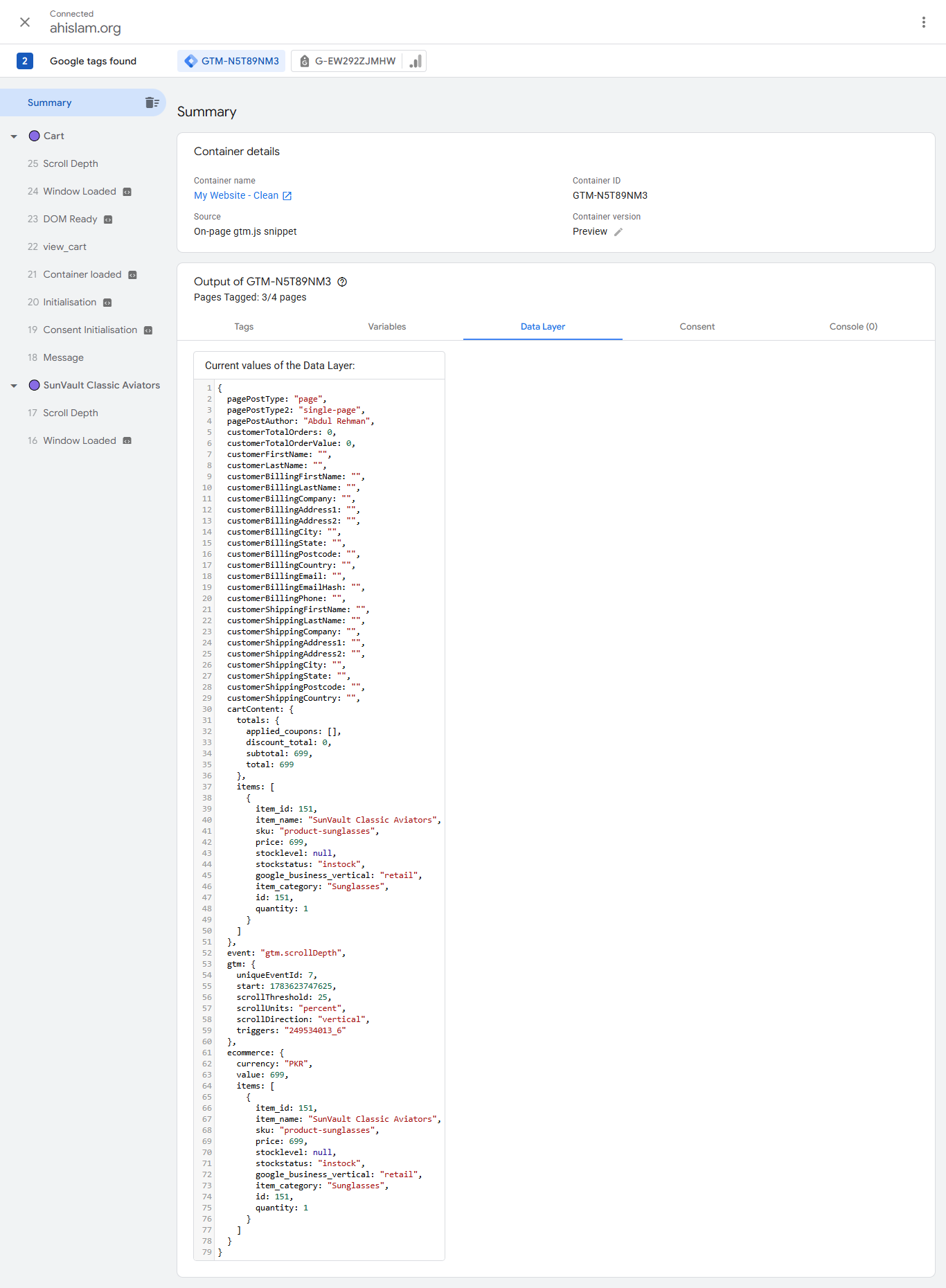
Data Layer Validation

Verified that the website correctly pushed e-commerce information into the Data Layer during customer interactions. Product information, pricing, currency, transaction values, and event parameters were successfully passed, providing the foundation for reliable analytics and conversion tracking.

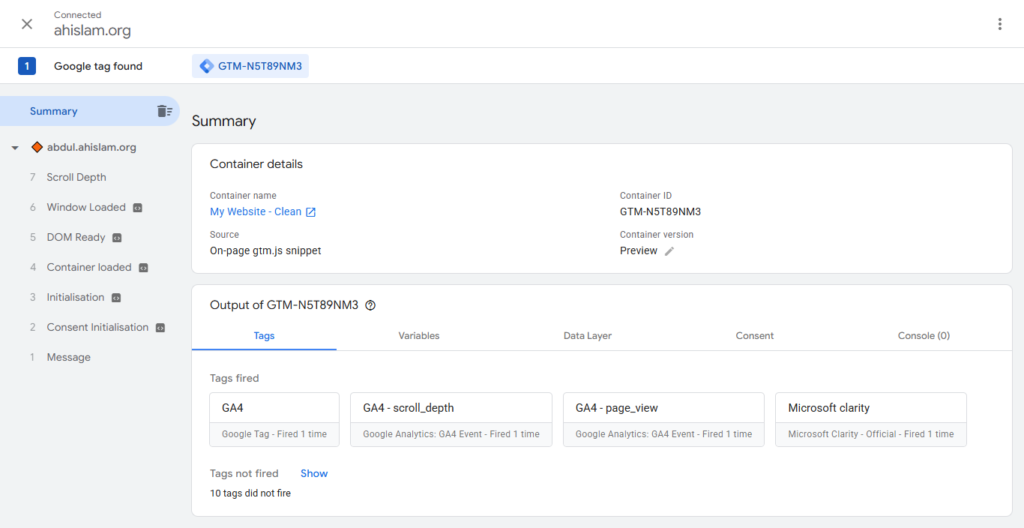
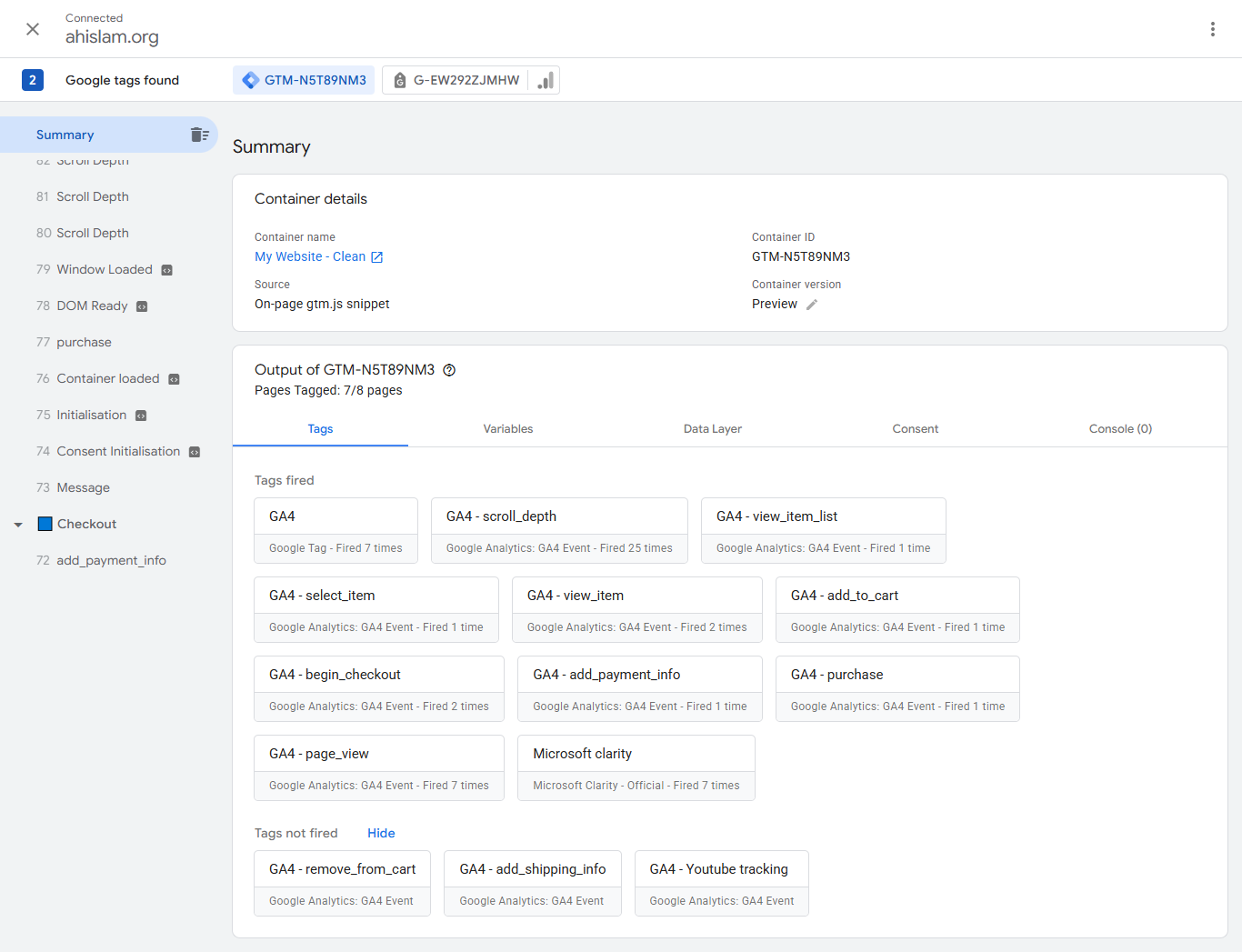
Google Tag Assistant Testing

Validated the complete implementation using Google Tag Assistant. All configured events fired successfully throughout the customer journey, confirming that the tracking setup functioned correctly before being used for reporting and campaign optimization.

Google Analytics 4 Implementation

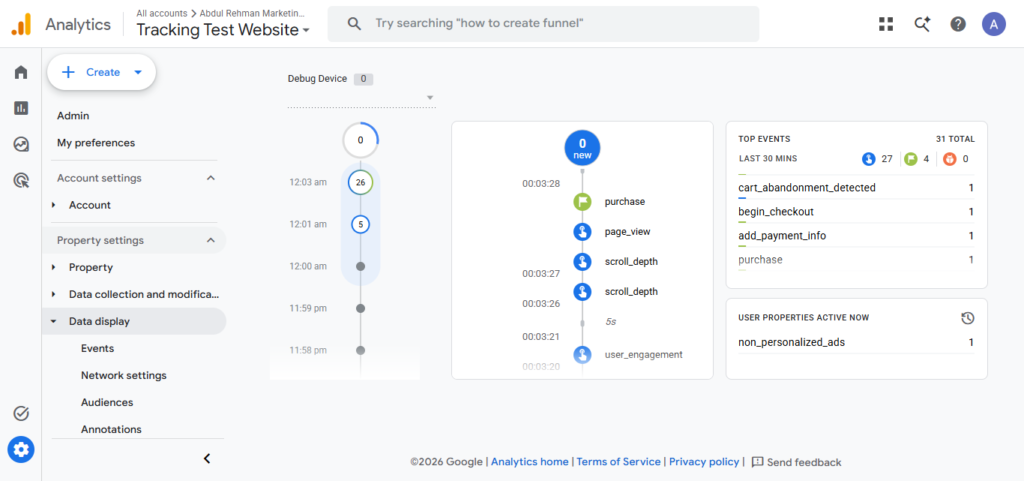
GA4 DebugView Validation
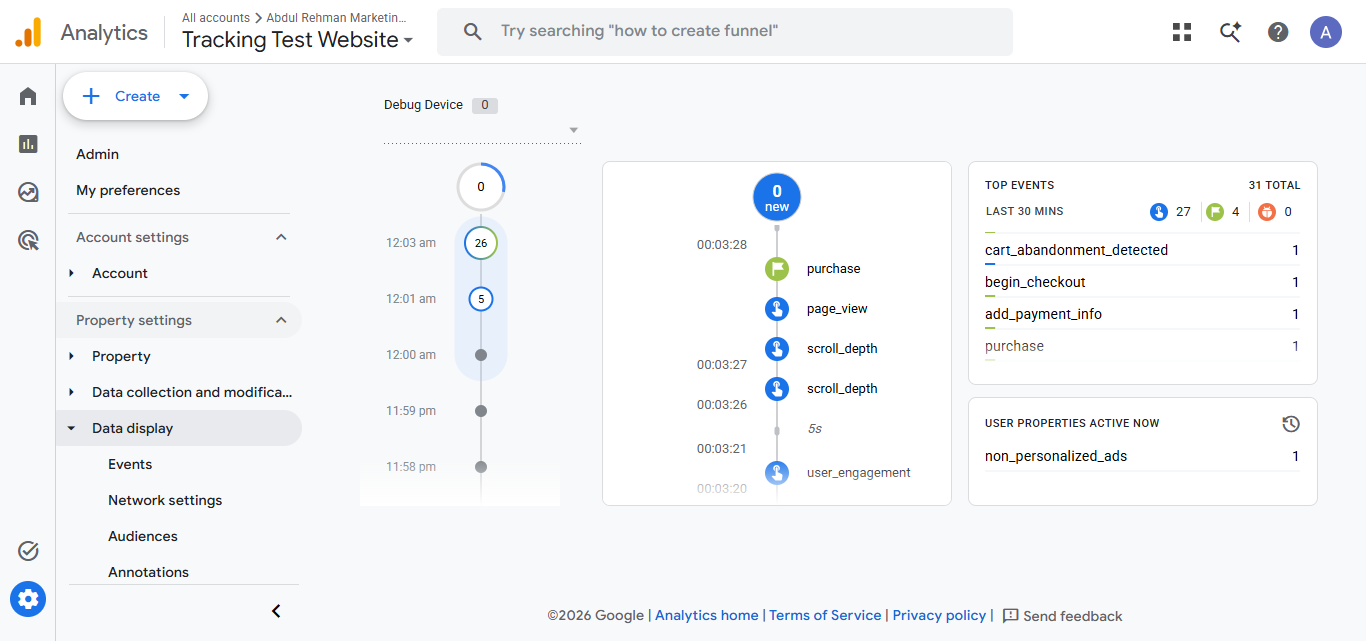
Used Google Analytics 4 DebugView to monitor events in real time during testing. This confirmed that each configured event was successfully received by GA4 with the expected parameters, ensuring accurate data collection before deployment.

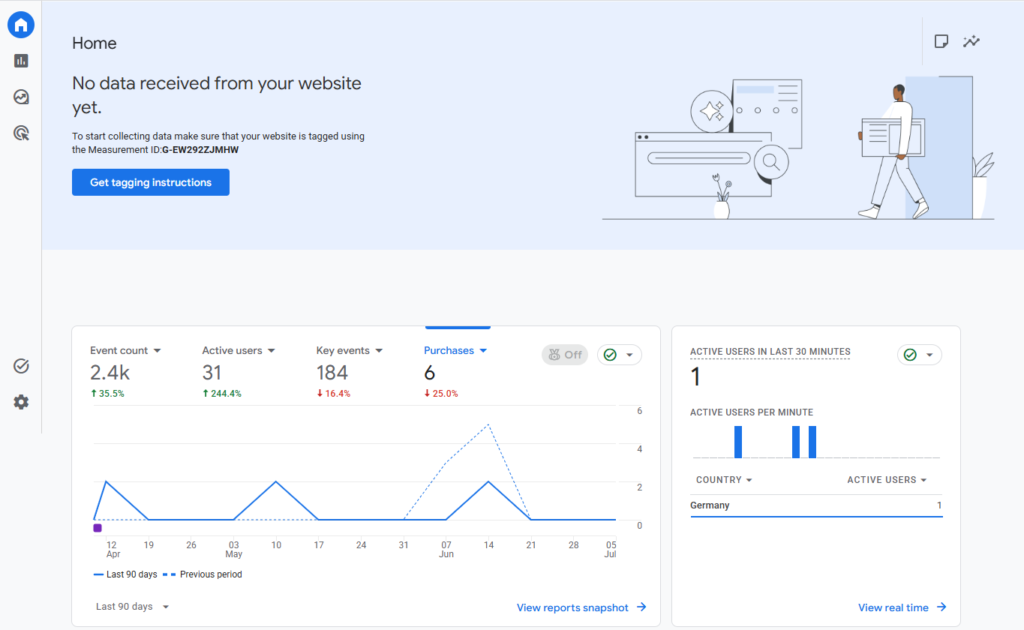
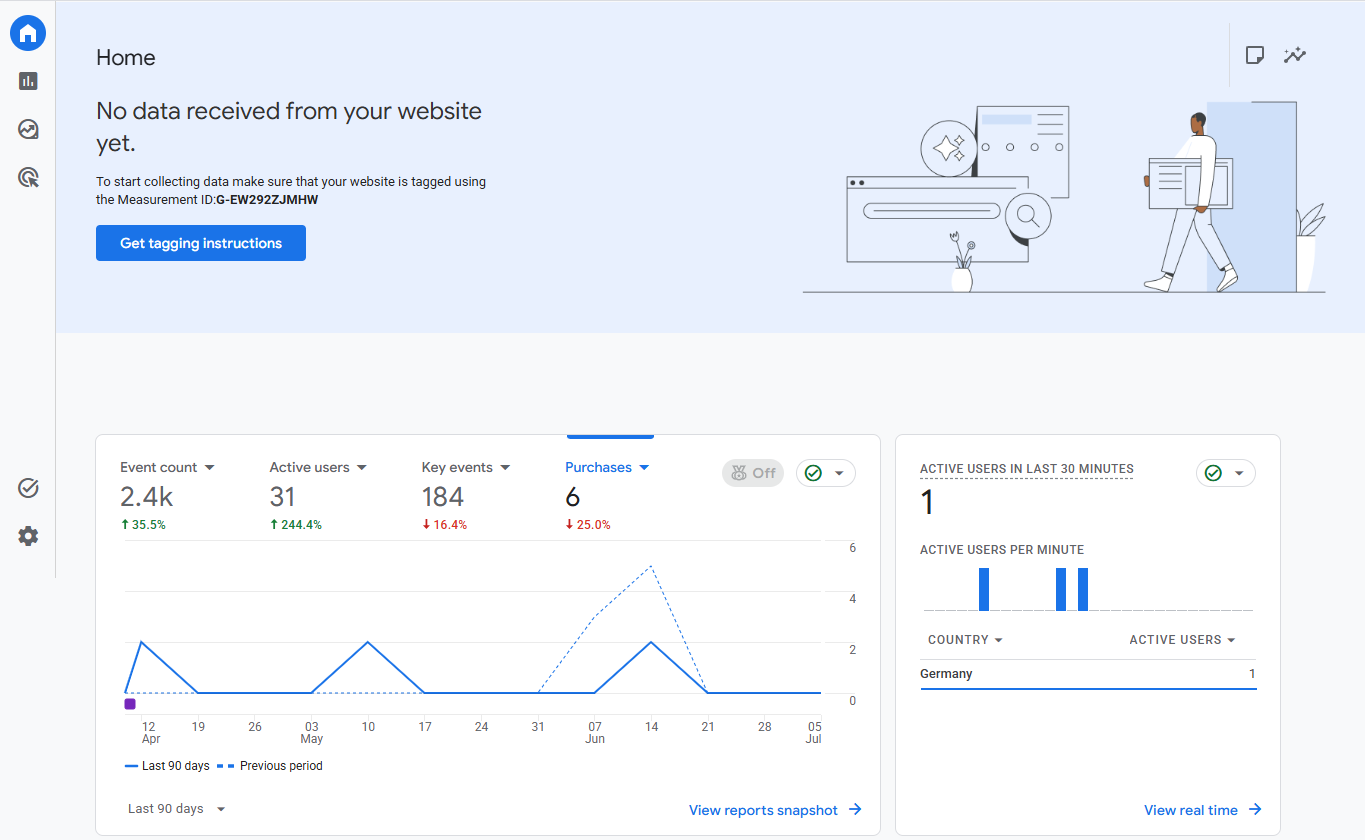
GA4 Home Dashboard

Verified that the GA4 property was actively collecting website data and displaying key performance metrics. The dashboard provides an overview of user activity, engagement, and overall website performance.

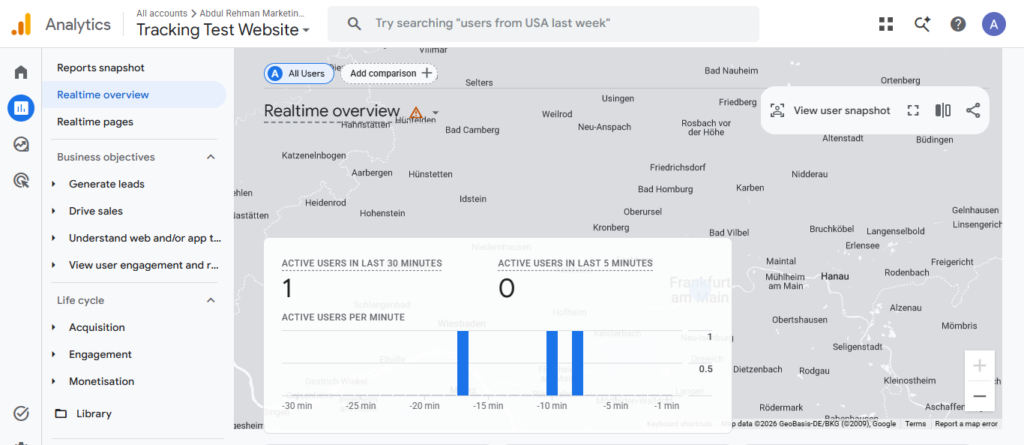
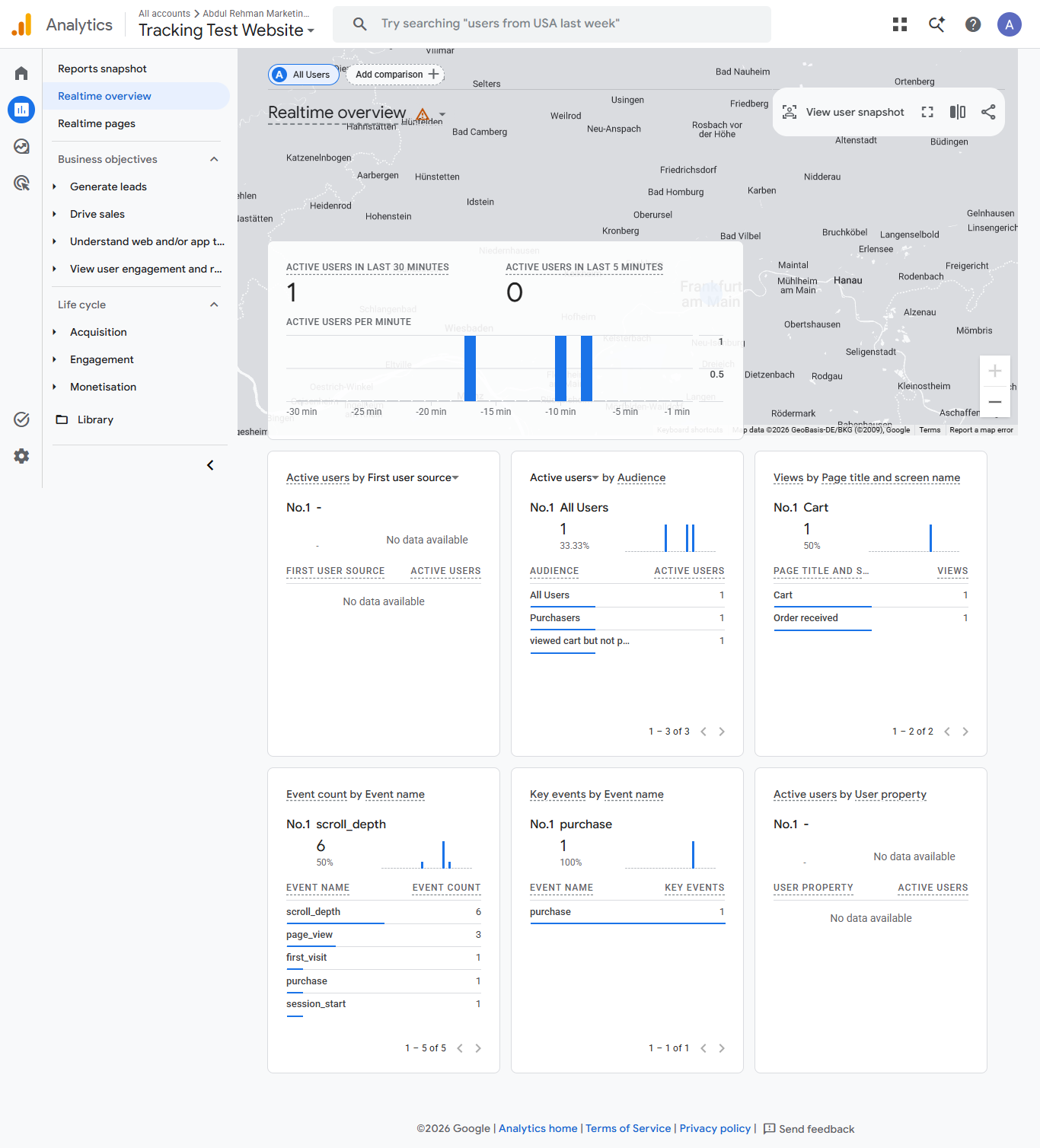
GA4 Real-Time Reporting

Confirmed live event collection using GA4 Real-Time reporting. This report was used to immediately validate user interactions and verify that tracking events were successfully reaching the analytics property during implementation.

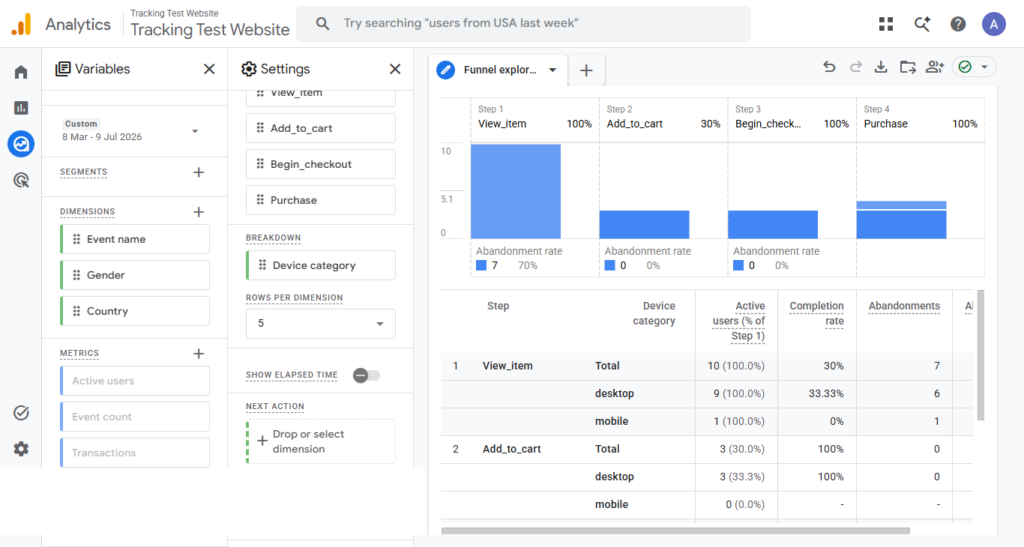
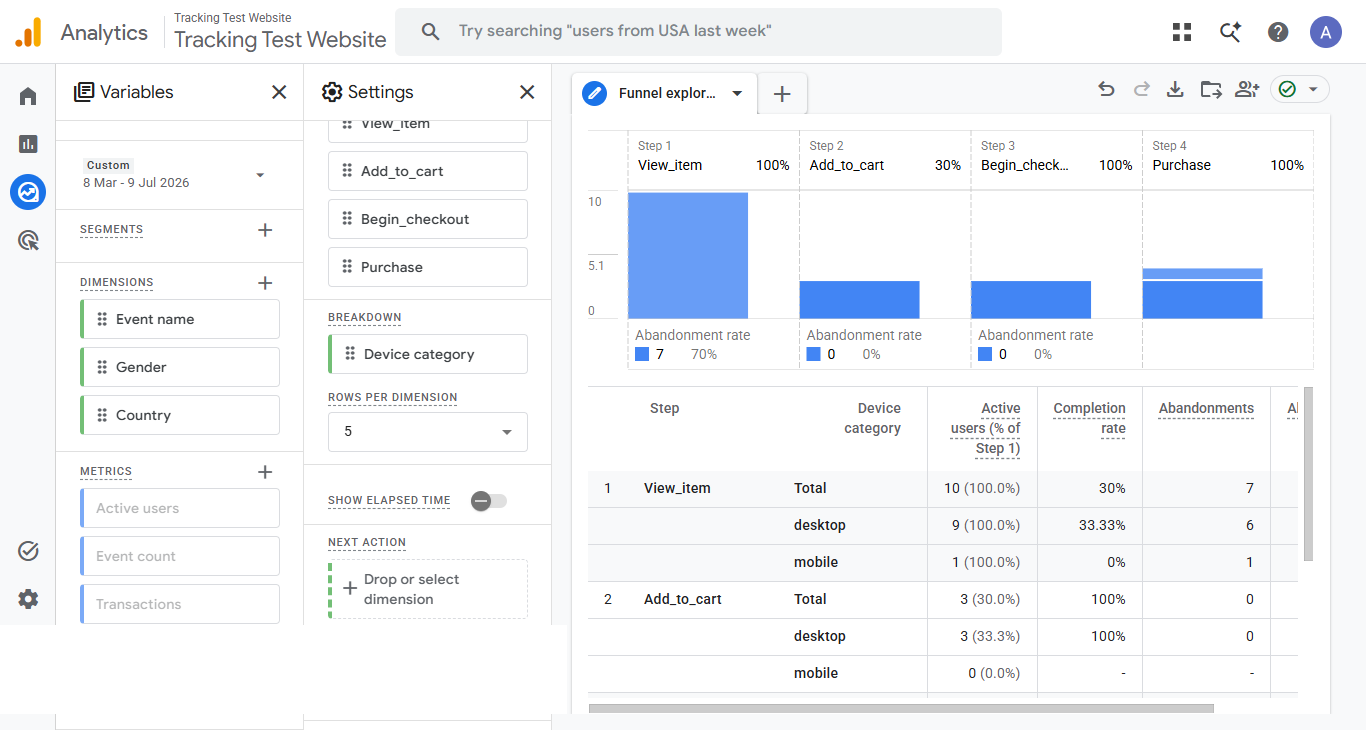
Funnel Exploration

Created a Funnel Exploration report to visualize user progression through the e-commerce purchase journey. This analysis helps identify where users abandon the funnel and provides valuable insights for improving conversion rates and optimizing customer experience.

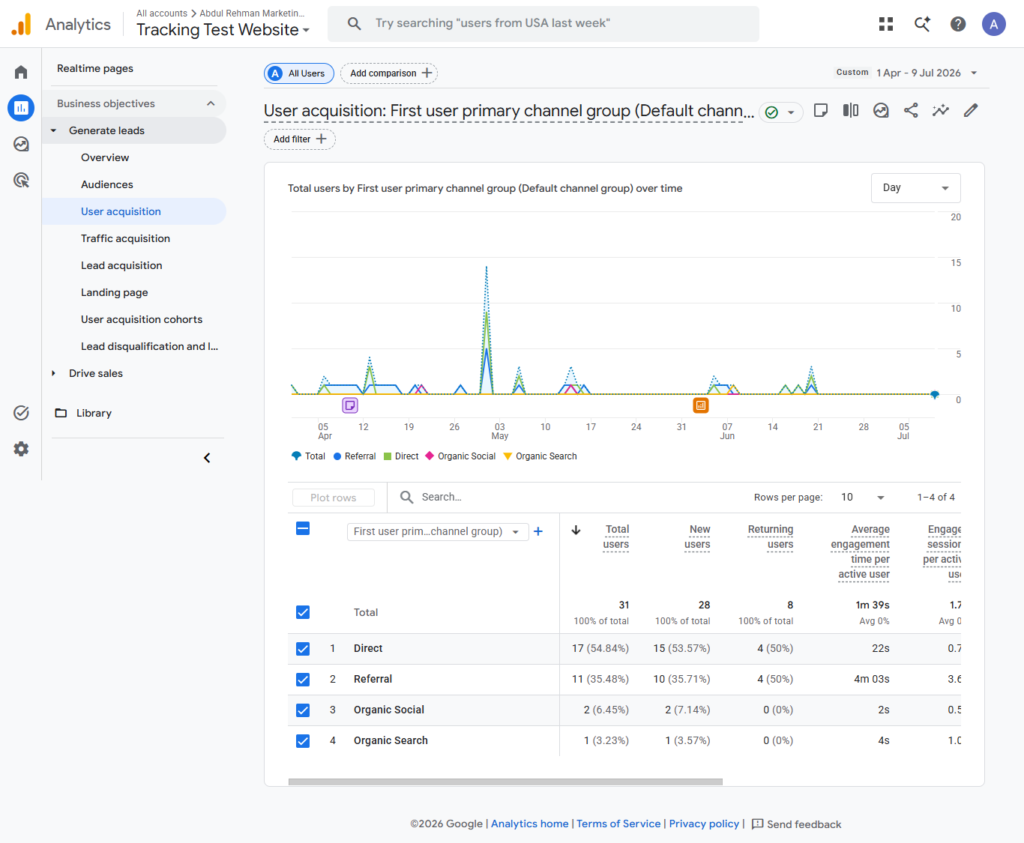
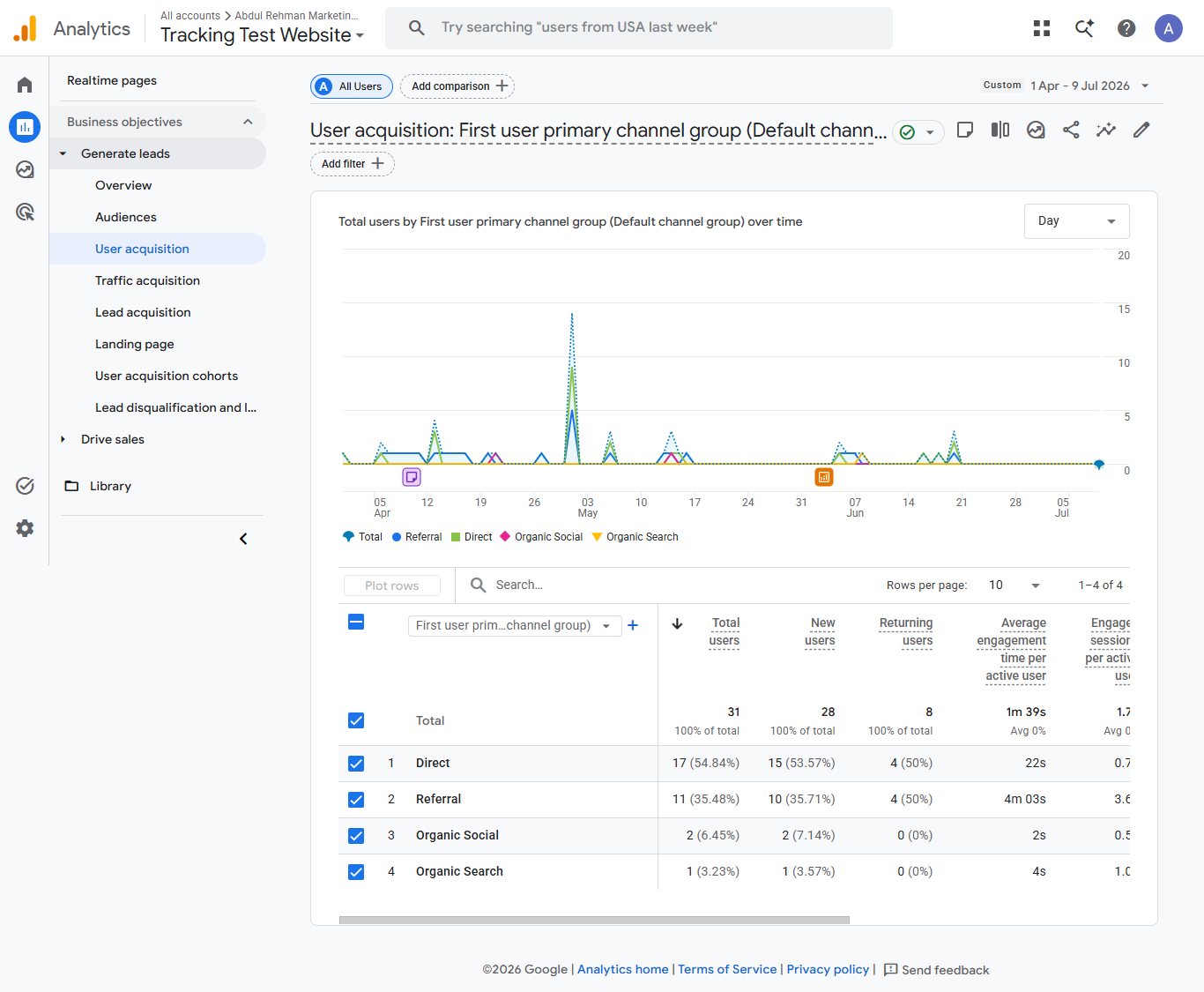
User Acquisition Report

Validated user acquisition reporting to analyze how new visitors discover the website. This report enables measurement of acquisition channels, supports attribution analysis, and provides insights for future marketing strategy.

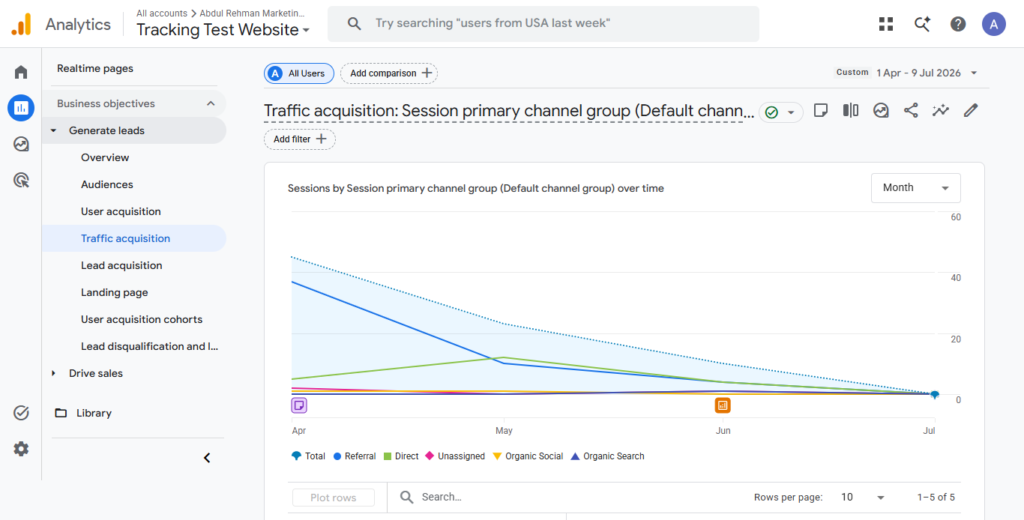
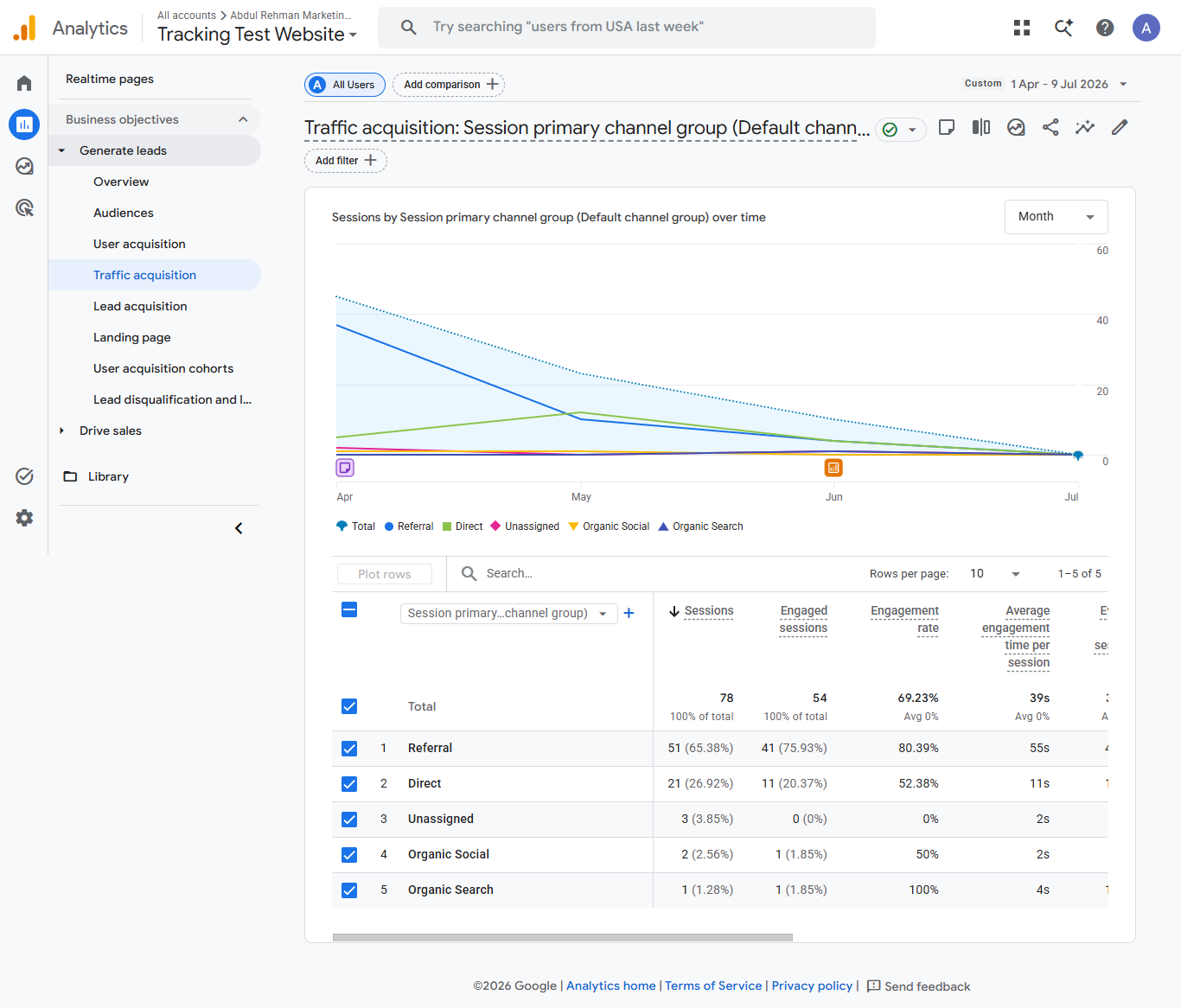
Traffic Acquisition Report

Configured GA4 to capture traffic acquisition data, allowing analysis of user sessions by marketing channel and traffic source. These insights support future optimization of paid advertising and marketing performance.

Challenges

During implementation, several technical challenges were encountered while configuring e-commerce tracking. These included validating Data Layer parameters, ensuring events fired only once, verifying purchase values, and confirming that event data was correctly received by GA4. Each issue was systematically tested using Google Tag Manager Preview Mode, Google Tag Assistant, and GA4 DebugView until the tracking implementation produced consistent and accurate results.

Result & Outcome

Interested in working together?

I help businesses with data-driven marketing, accurate tracking and high-performaing ad campaigns.

Scroll to Top