
USER BEHAVIOR ANALYSIS
Microsoft Clarity User Behavior Analysis
Implemented Microsoft Clarity on a WooCommerce practice website to analyze user behavior through heatmaps, session recordings, and behavioral insights, while integrating Clarity with Google Analytics 4 for deeper website performance analysis.
Project Objectives
The objectives of this implementation were:
- Install Microsoft Clarity on the website.
- Conversion Rate Optimization of the website by observing users behavior.
- Track user interactions through heatmaps and session recordings.
- Identify usability issues using rage clicks and dead clicks.
- Analyze visitor behavior and navigation patterns.
- Integrate Clarity with Google Analytics 4.
- Improve understanding of user experience and website performance.
My Role
I independently implemented Microsoft Clarity on the WooCommerce website, configured the tracking script, validated data collection, analyzed user behavior reports, and integrated Clarity with Google Analytics 4 to create a more comprehensive analytics setup.
Project Overview
This project involved implementing Microsoft Clarity on a WooCommerce practice website to better understand how users interact with website content. By analyzing heatmaps, session recordings, rage clicks, and dead clicks, I gained insights into user behavior and potential usability issues. I also integrated Microsoft Clarity with Google Analytics 4, combining behavioral data with analytics reports to support data-driven website optimization.
Implementation & Screenshots
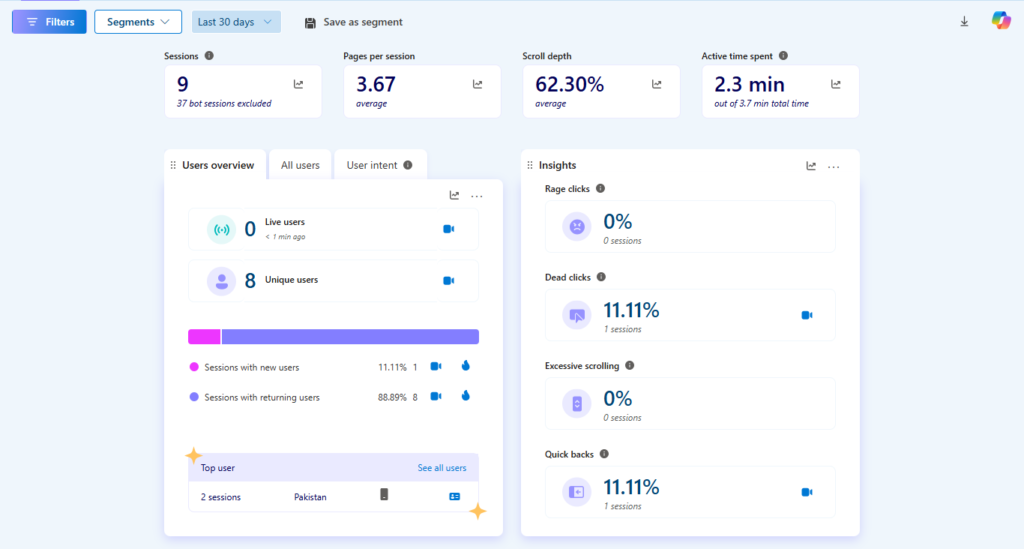

Microsoft Clarity Dashboard
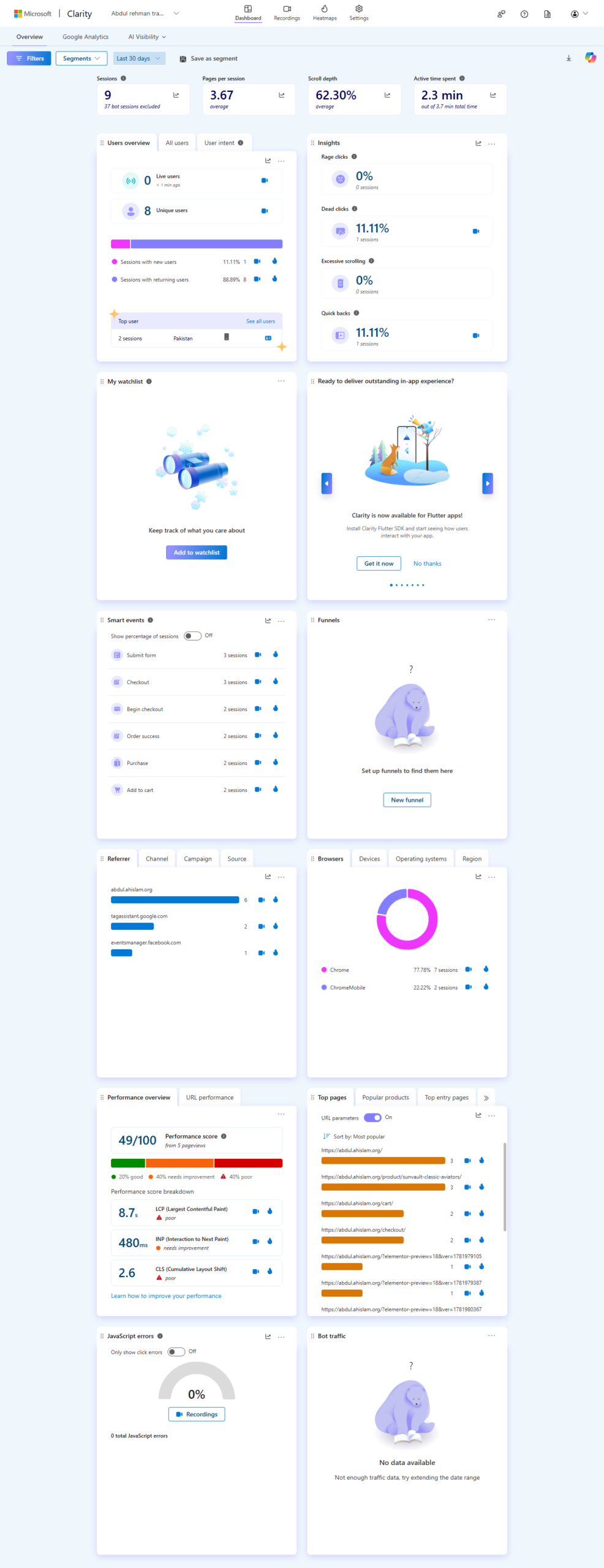
Configured Microsoft Clarity and monitored the dashboard to review visitor activity, engagement metrics, session statistics, and overall website performance. The dashboard provided an overview of user interactions and served as the starting point for behavior analysis.
Key Skills Demonstrated:
- Microsoft Clarity Setup
- Website Analytics
- User Engagement Analysis
- Visitor Monitoring
- Dashboard Reporting
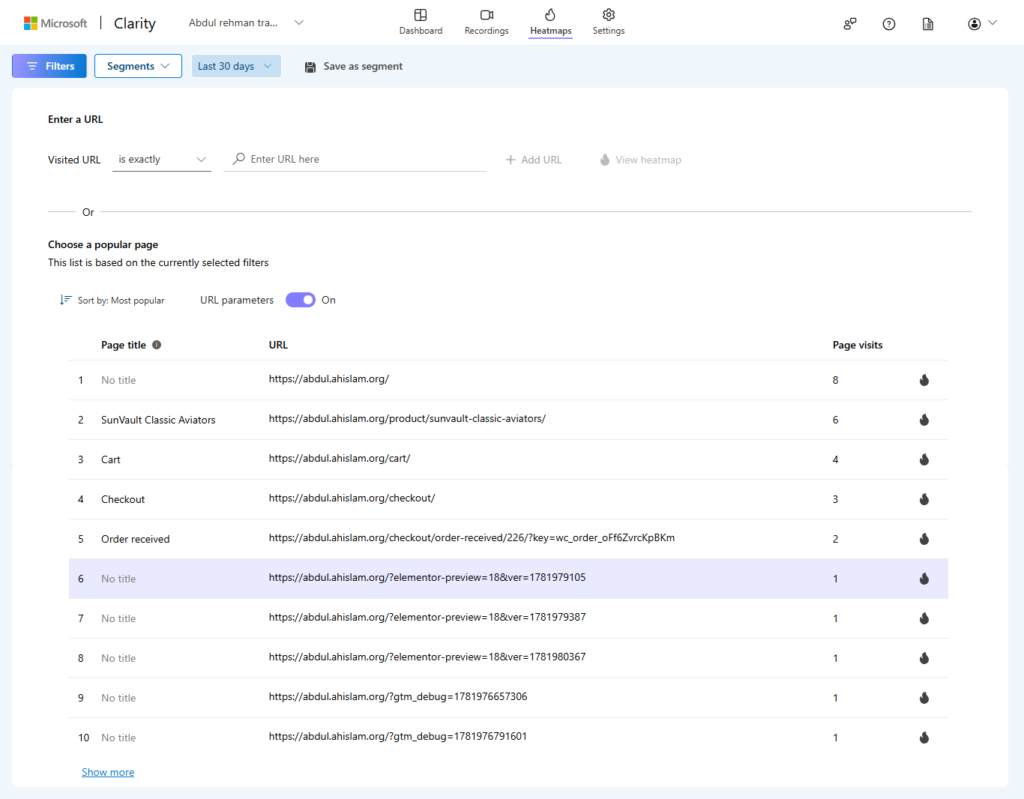

Heatmaps Analysis
Used heatmaps to visualize how users interacted with website pages by identifying the areas receiving the most clicks, attention, and engagement. Heatmap insights helped evaluate page layouts and understand how visitors navigated important content.
Key Skills Demonstrated:
- Heatmap Analysis
- Click Behavior
- Scroll Analysis
- User Experience (UX)
- Website Optimization
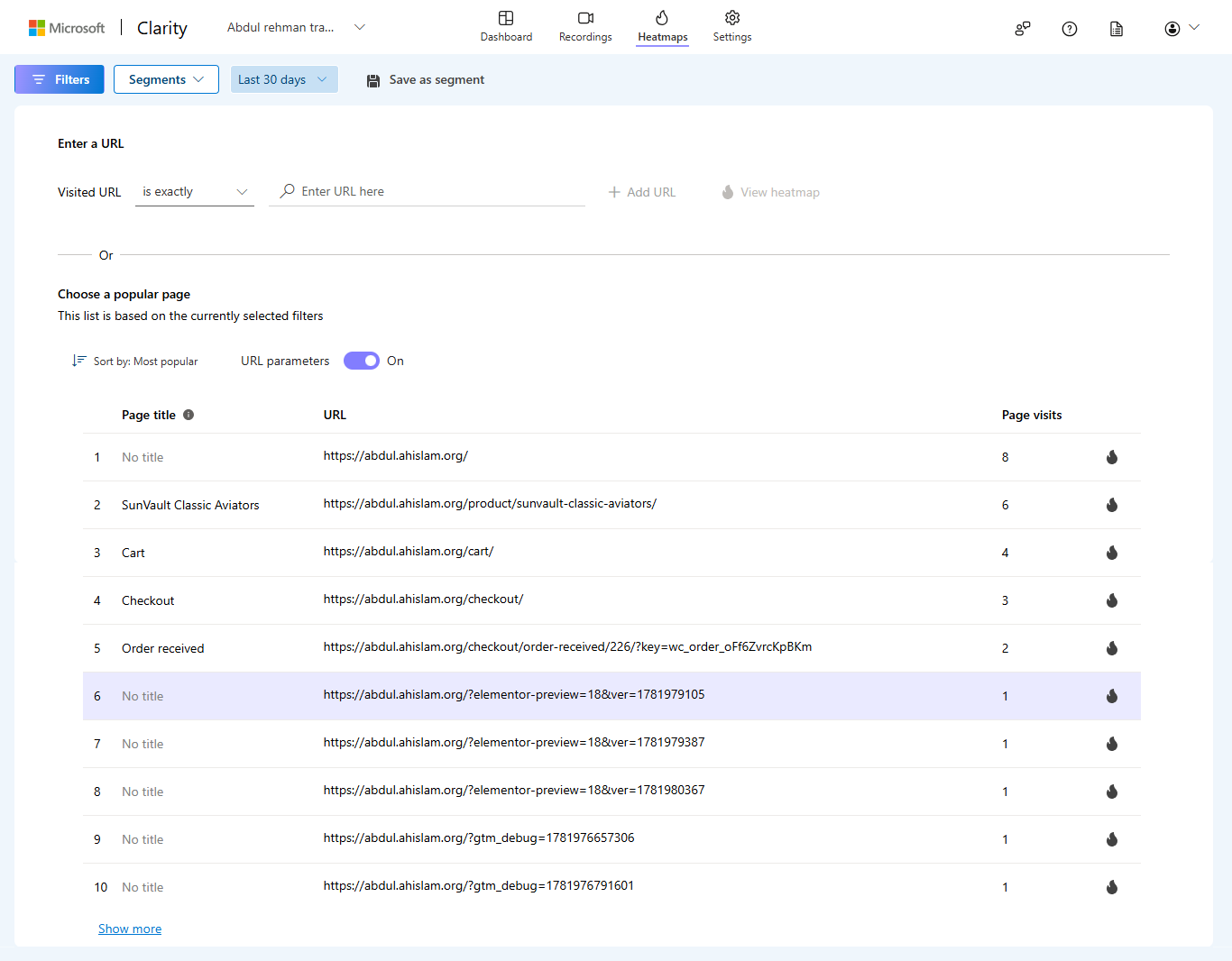
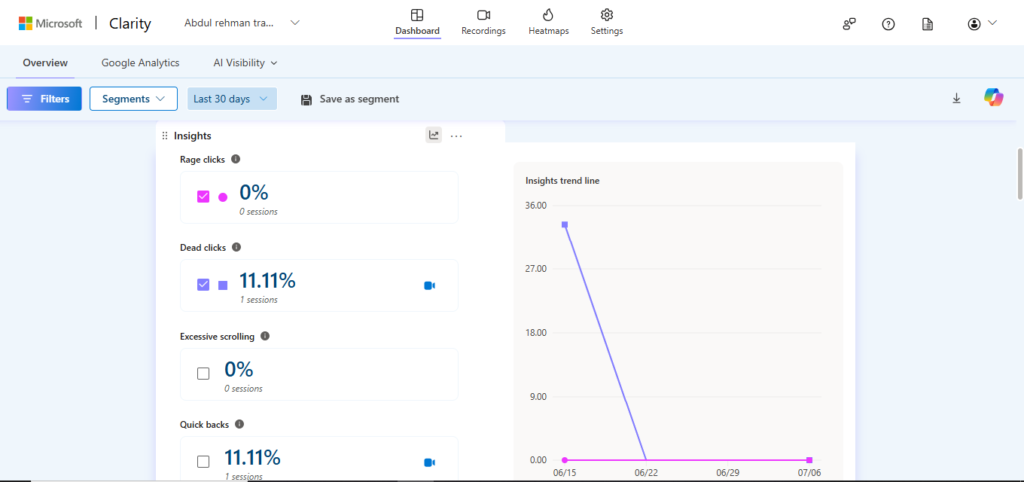

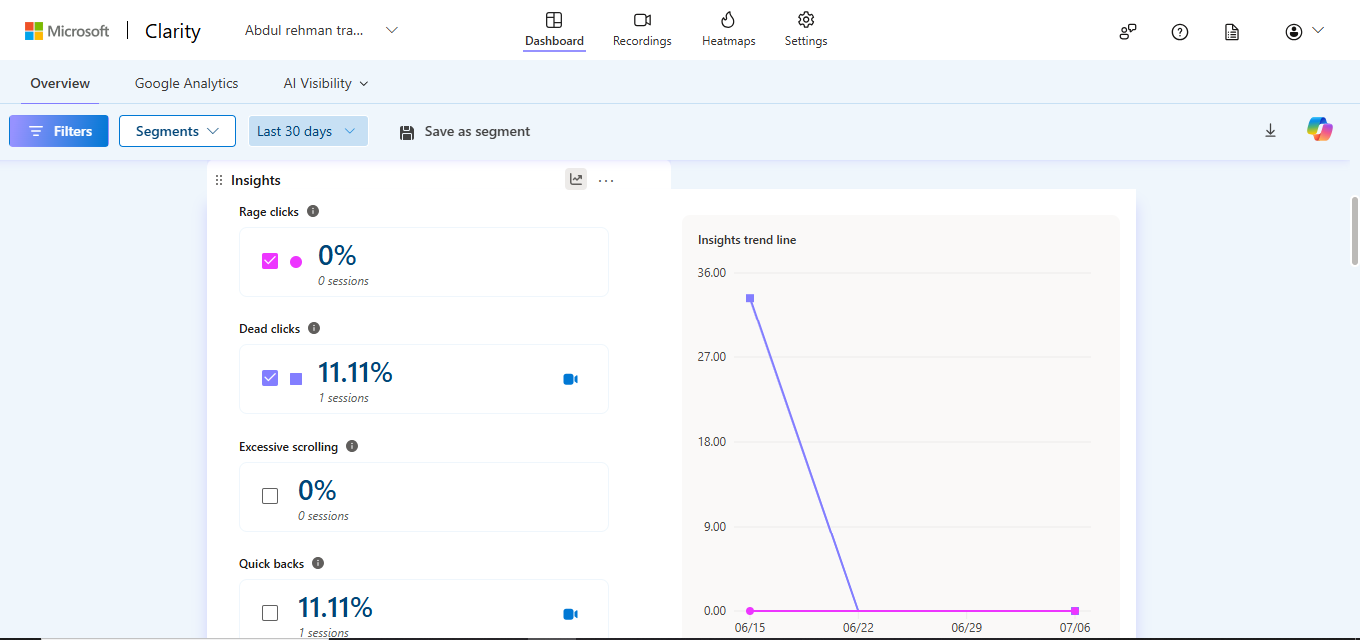
Rage Clicks & Dead Clicks
Analyzed rage clicks and dead clicks to identify areas where users experienced frustration or interacted with non-functional elements. These behavioral insights helped highlight usability issues that could negatively affect user experience and conversion performance.
Key Skills Demonstrated:
- Rage Click Analysis
- Dead Click Analysis
- UX Issue Detection
- User Behavior Insights
- Conversion Optimization
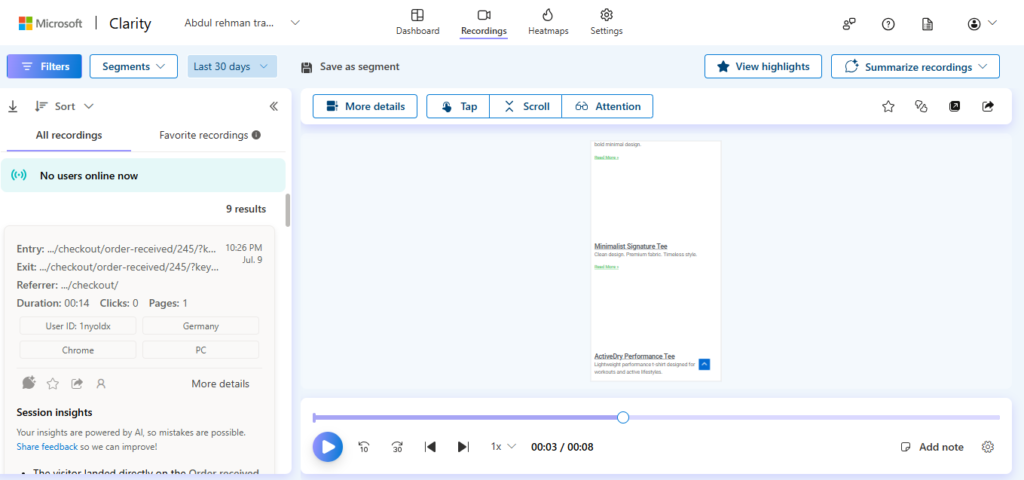

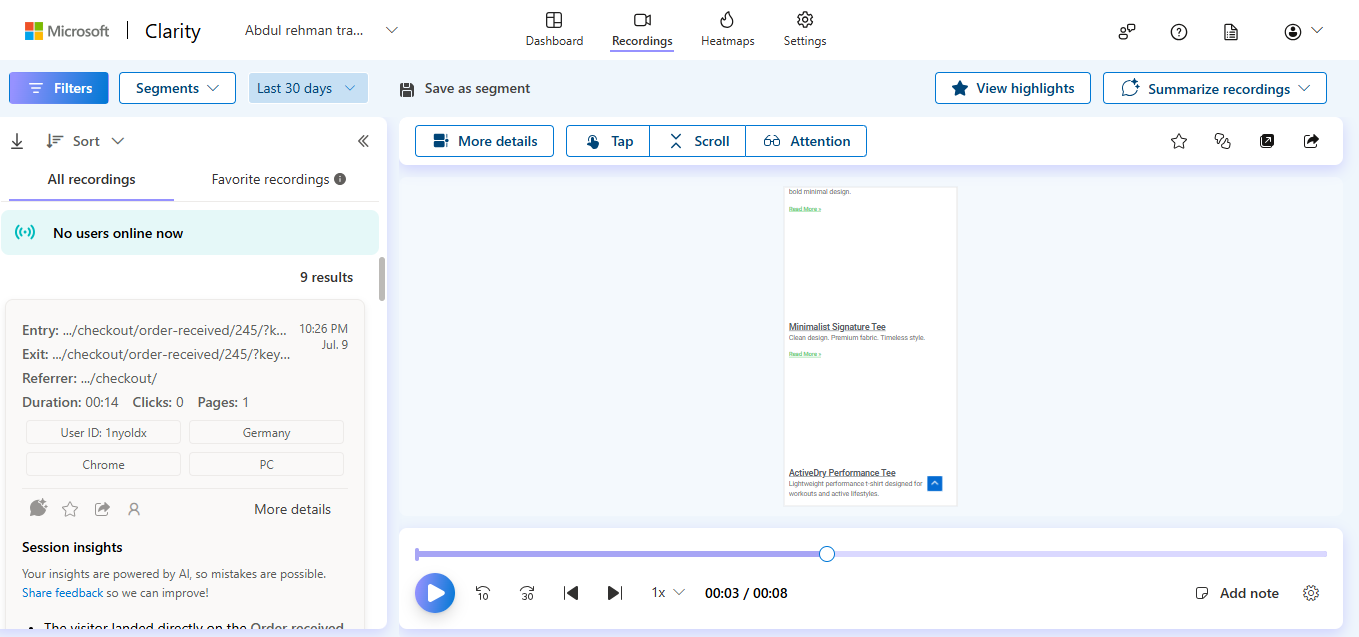
Session Recordings
Reviewed anonymized session recordings to observe user navigation, scrolling behavior, click patterns, and interactions throughout the website. Session recordings provided valuable context for understanding how visitors moved through the purchase journey and interacted with different website elements.
Key Skills Demonstrated:
- Session Replay Analysis
- User Journey Analysis
- Navigation Analysis
- Behavior Tracking
- UX Research
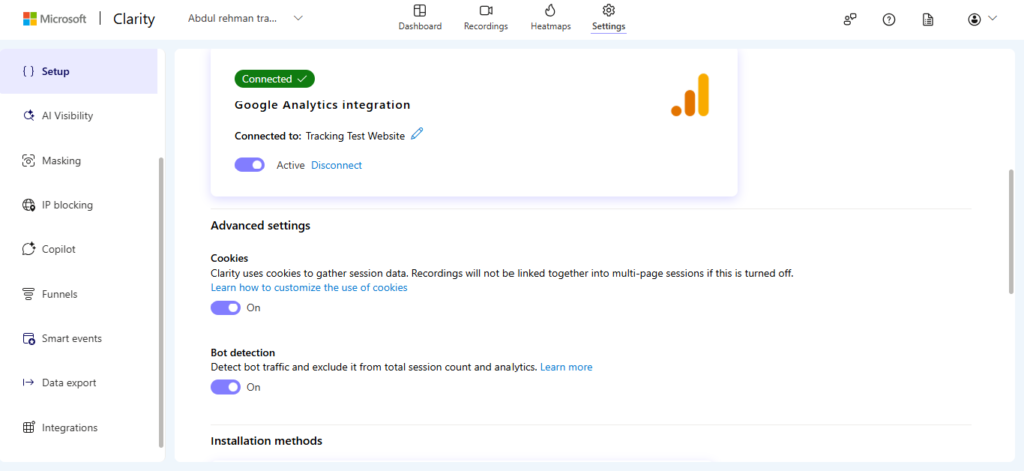

Google Analytics 4 Integration
Integrated Microsoft Clarity with Google Analytics 4 to combine behavioral insights with website analytics data. This integration provided a more complete understanding of user activity by connecting session recordings and heatmaps with analytics reports for informed decision-making.
Key Skills Demonstrated:
- GA4 Integration
- Analytics Integration
- Cross-Platform Analysis
- User Behavior Analytics
- Data-Driven Optimization
Challenges
A key challenge was translating user behavior into meaningful insights for website improvement. Rather than relying solely on numerical analytics, Microsoft Clarity provided visual evidence of how visitors interacted with the website. Combining Clarity with Google Analytics 4 created a more complete picture of both user behavior and website performance.
Result & Outcome
Successfully implemented Microsoft Clarity on a WooCommerce practice website and integrated it with Google Analytics 4 to analyze user behavior from multiple perspectives. The project demonstrated practical experience in behavioral analytics, UX analysis, and conversion optimization by combining quantitative analytics with qualitative user interaction data.
Implementation Workflow
- Installed Microsoft Clarity on the WooCommerce practice website.
- Verified successful data collection and tracking.
- Reviewed dashboard metrics to monitor visitor activity.
- Analyzed heatmaps to understand click and scroll behavior.
- Reviewed session recordings to observe user journeys.
- Investigated rage clicks and dead clicks to identify UX issues.
- Connected Microsoft Clarity with Google Analytics 4.
- Combined behavioral insights with analytics data to support website optimization.
User Behavior Insights
Through Microsoft Clarity, I was able to analyze:
- Visitor click behavior
- Scroll depth and engagement
- Session recordings
- Rage clicks
- Dead clicks
- Navigation flow
- User interaction patterns
- Website usability
- Potential conversion barriers
Key Skills Demonstrated
- Microsoft Clarity
- User Behavior Analysis
- Heatmaps
- Session Recordings
- Rage Click Analysis
- Dead Click Analysis
- UX Analysis
- Website Optimization
- Google Analytics 4
- Analytics Integration
- Conversion Rate Optimization (CRO)
- Data Interpretation
Interested in working together?
I help businesses with data-driven marketing, accurate tracking and high-performaing ad campaigns.